Launch Agents and Skills from Your Console
Everything below is the real console — the same screens every HostBuddy operator uses. Set a revenue goal Buddy can prove, fill quiet nights with campaigns that build themselves, move slow inventory before it costs you, and switch on phone, payments and bar tabs in minutes.
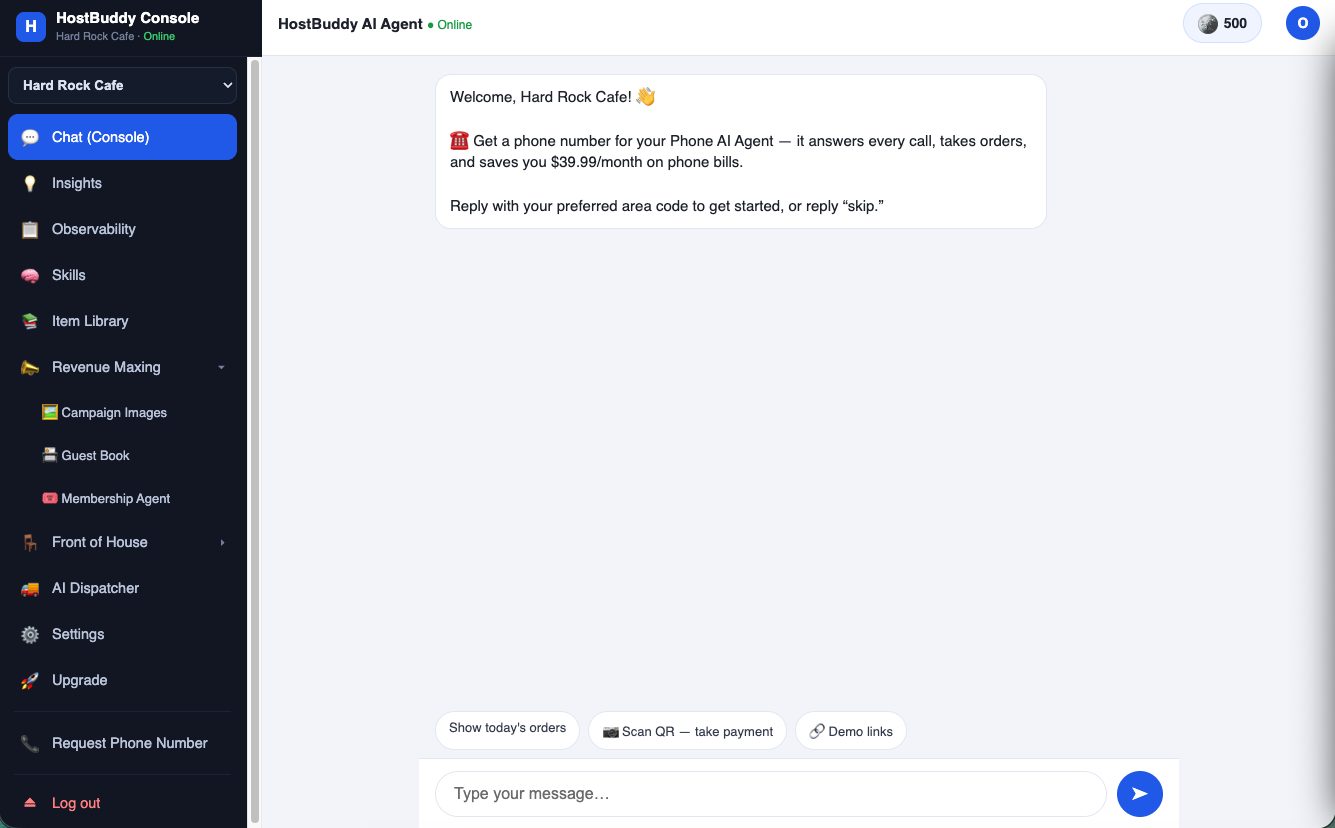
The console is a conversation
There is no dashboard to learn first. You talk to Buddy — it answers, acts, and offers the next best step. Quick chips handle the daily moves: today's orders, scan-to-pay at the counter, demo links.
Set a revenue goal — and see exactly how it's reachable
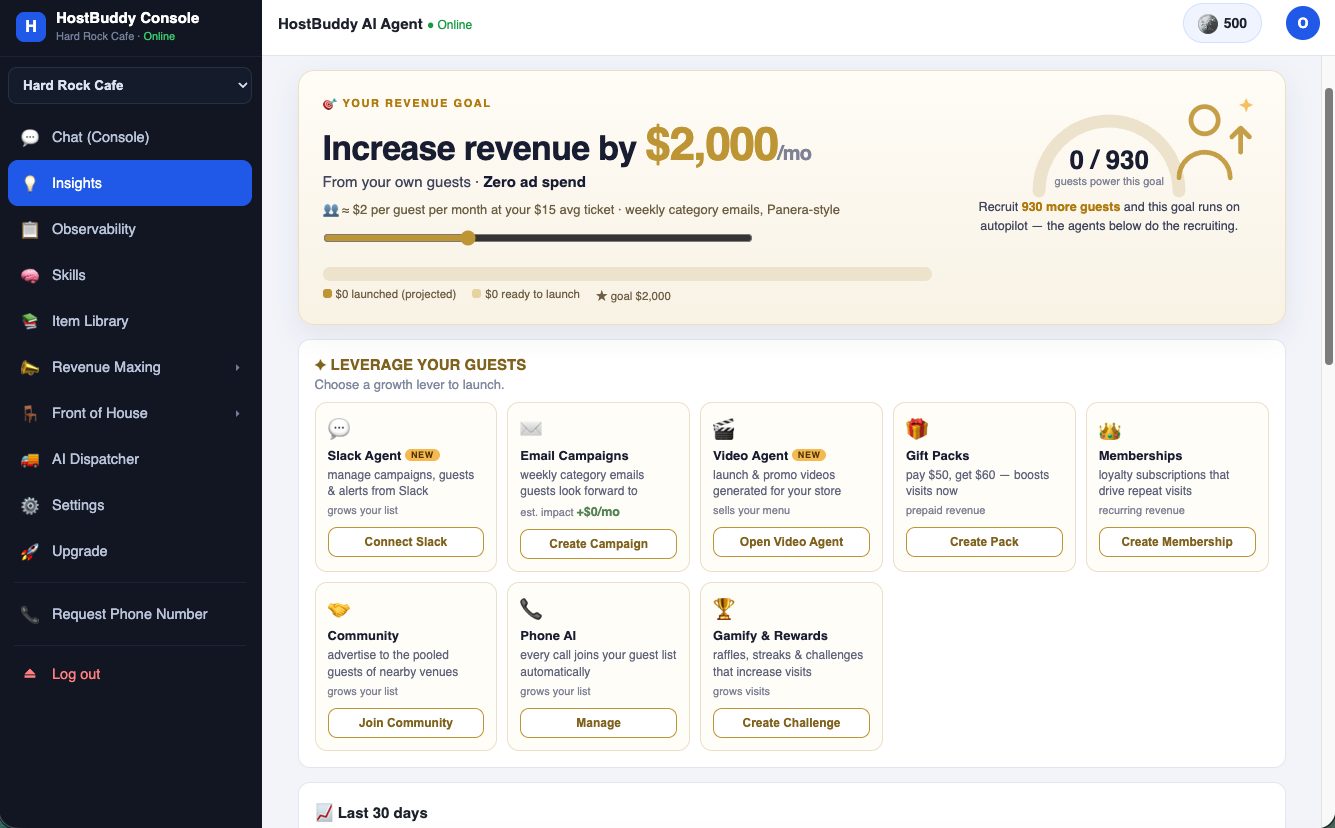
We boldly claim you can add $2,000/month from your own guests with zero ad spend. Here is the exact flow, with the math the console shows you.
| Average ticket at this café | $15 |
| What one engaged guest is worth via weekly category emails (Panera-style) | ≈ $2 / month |
| Guests needed on your list for $2,000 / month | ≈ 930 |
| Who recruits them | the agents below |
- Open Insights and drag the goal slider — the math recalculates live from your own POS numbers, nothing is estimated.
- The dial shows how many engaged guests currently power the goal (0 / 930 on a fresh store).
- Launch growth levers to recruit the rest: Phone AI (every call joins your guest list automatically), Slack Agent, Email Campaigns, Gift Packs (pay $50, get $60), Memberships, Community and Gamify & Rewards.
- From there the goal runs on autopilot — weekly emails carry the plays, and the dial fills as guests engage.
How Buddy math works
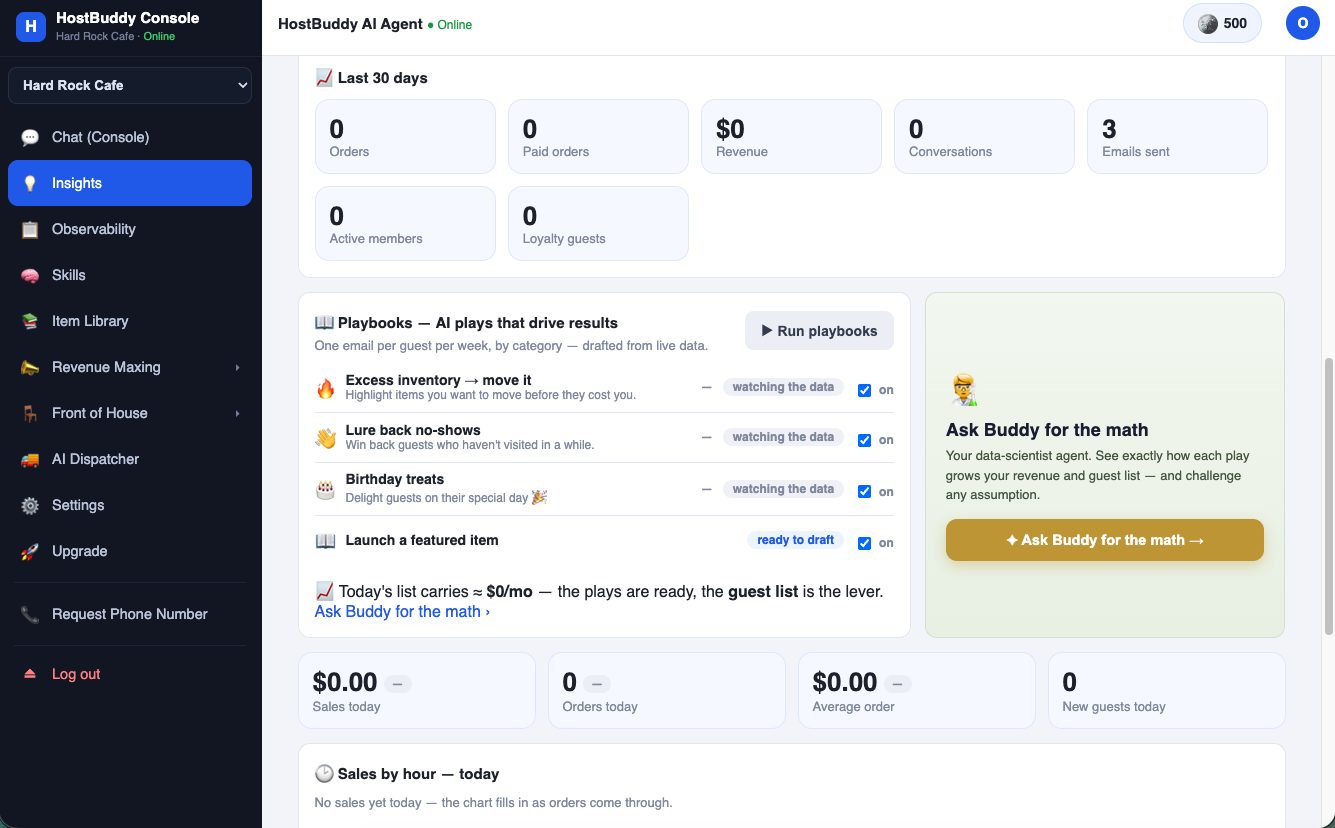
Every play shows its own math. Playbooks watch your live data and stay quiet until the numbers justify sending — then they draft, show the projected impact, and wait for your approval.
- Playbooks like Excess inventory → move it, Lure back no-shows and Birthday treats sit in "watching the data" until your sales history gives them something worth acting on.
- When one is ready it flips to "ready to draft" — one email per guest per week maximum, by category, drafted from live data.
- Click Ask Buddy for the math any time: your data-scientist agent walks through exactly how each play grows revenue and the guest list — and you can challenge any assumption in plain words.
Move excess inventory with the menu heatmap
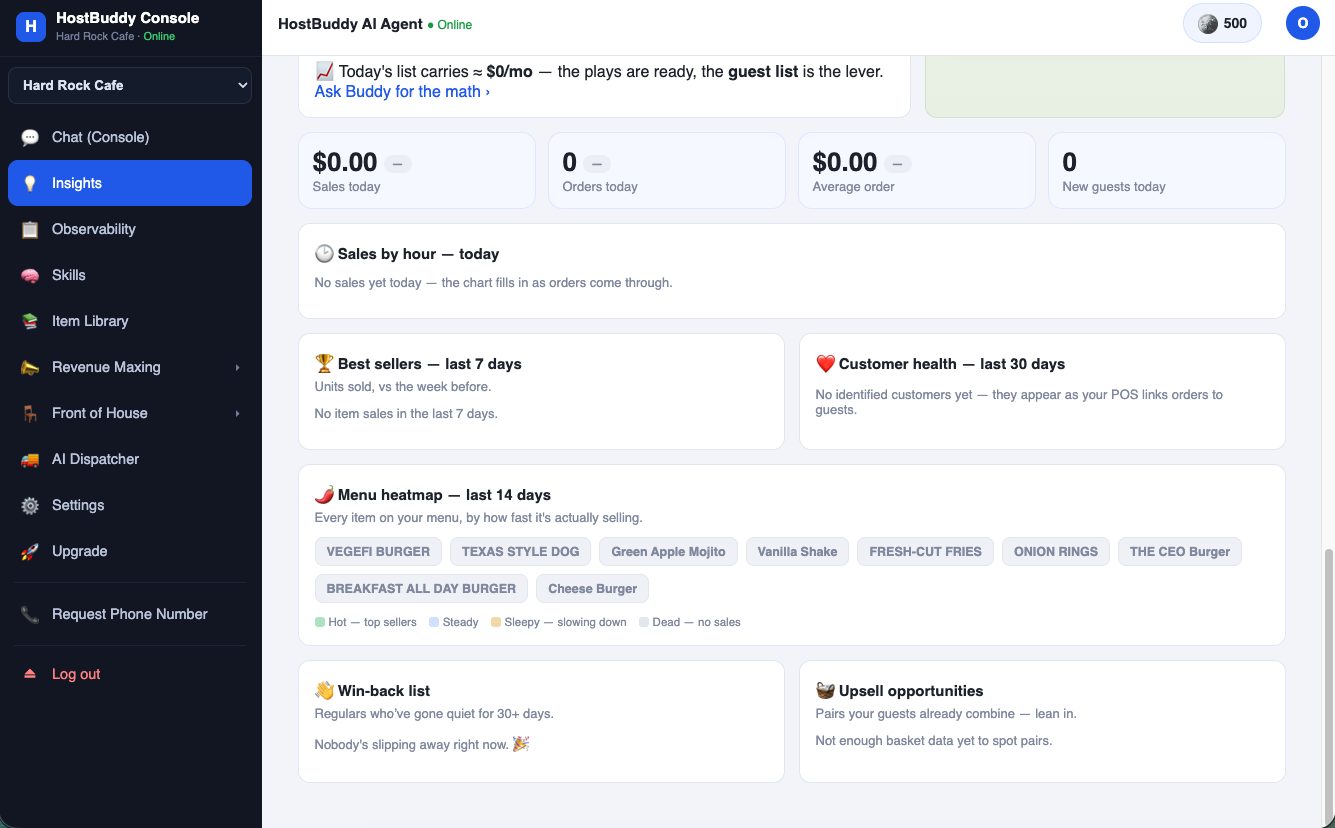
Every item on your menu, colored by how fast it actually sells over the last 14 days — Hot, Steady, Sleepy, Dead. Slow movers become this week's featured offer before they cost you.
- Open Insights and scroll to Menu heatmap — items are ranked by real sales velocity, not gut feel.
- Spot the Sleepy and Dead items — that's trapped margin.
- Turn on the Excess inventory → move it playbook, or tell Buddy directly: "feature the onion rings this week."
- Alongside it: Best sellers, Customer health, the Win-back list (regulars gone quiet 30+ days) and Upsell opportunities from real basket pairs.
Fill the quiet nights with a campaign that builds itself
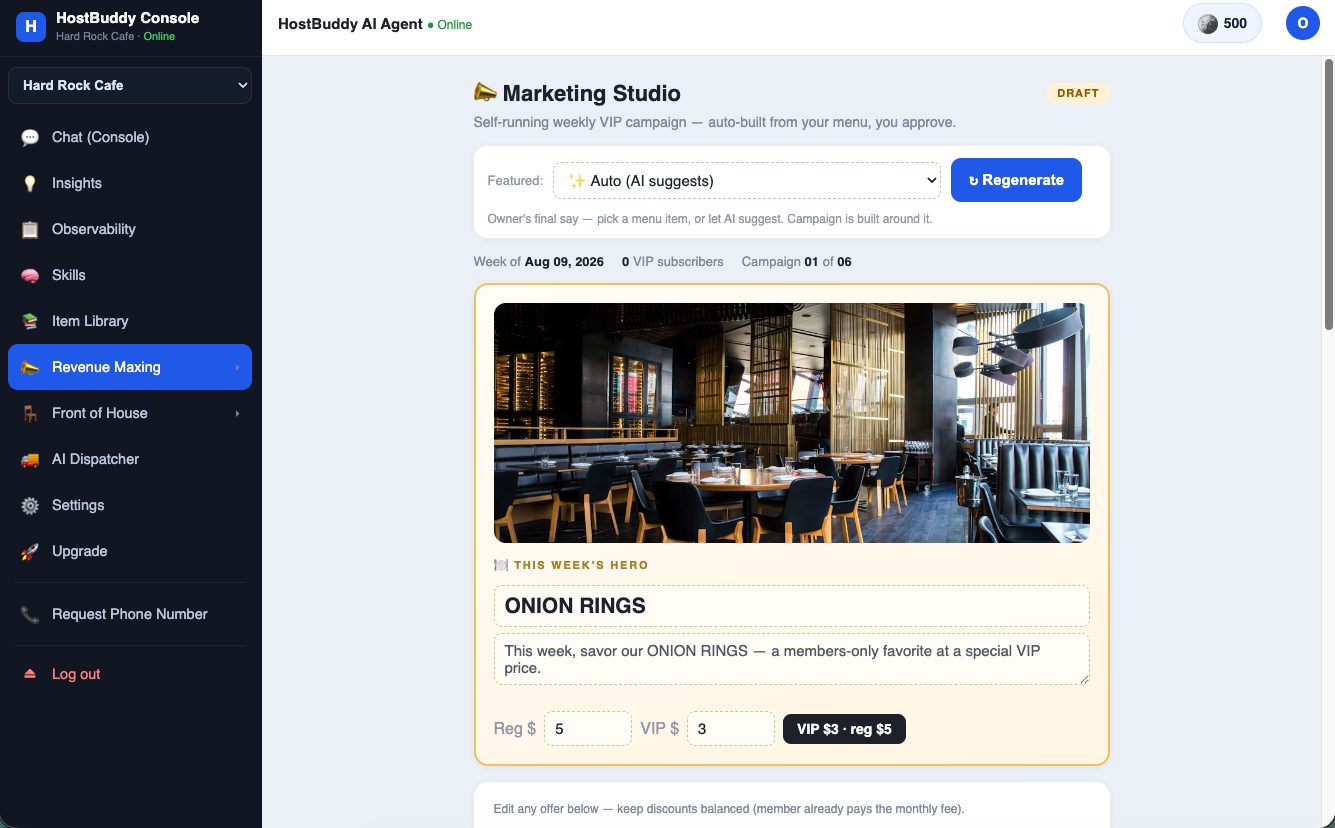
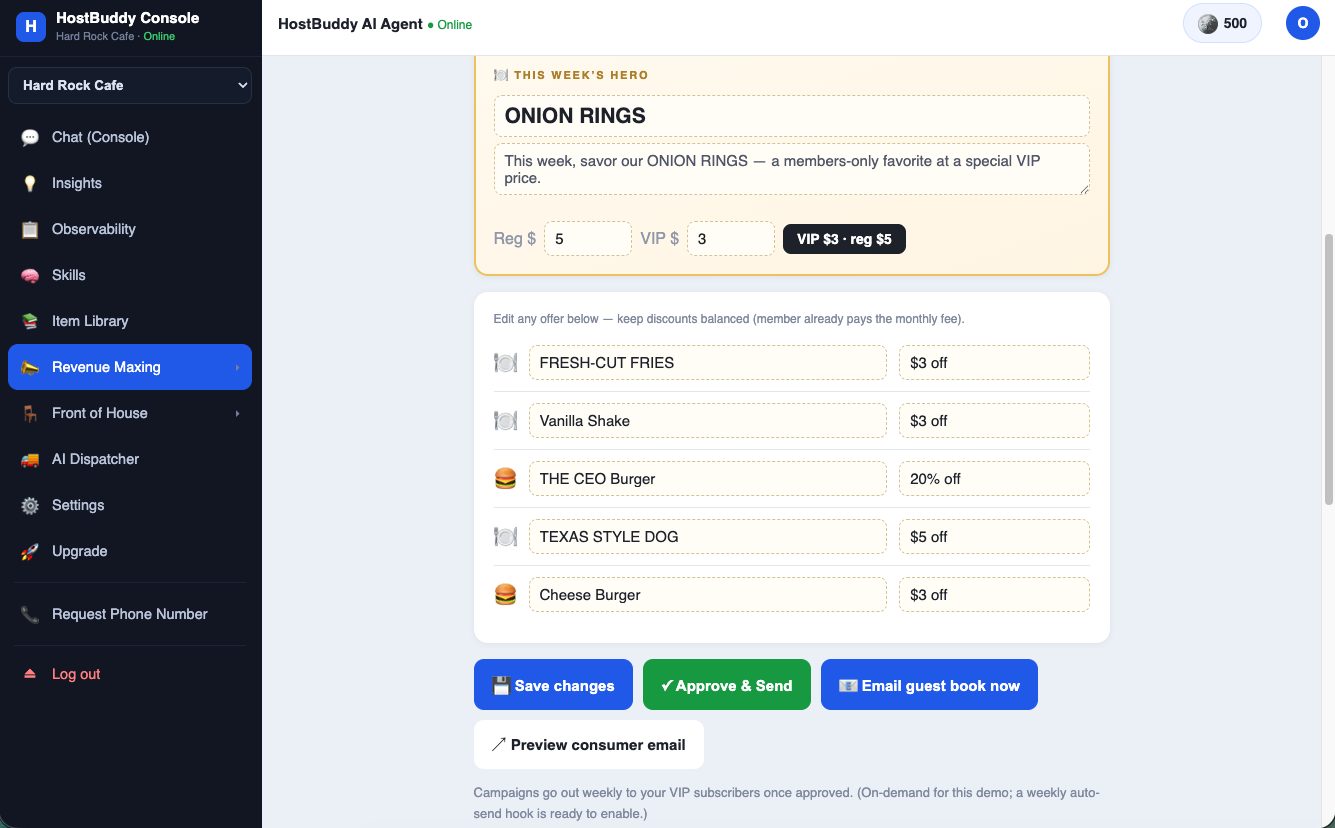
Marketing Studio drafts a weekly VIP campaign from your own menu — hero item, art, balanced member offers — and nothing sends until you approve it.
- Open Revenue Maxing → Marketing Studio. Leave Featured on ✨ Auto (AI suggests) or pick the item yourself — the owner always has final say.
- Buddy builds the week's hero (here: "ONION RINGS — a members-only favorite at a special VIP price, VIP $3 · reg $5") plus a balanced offer list you can edit line by line.
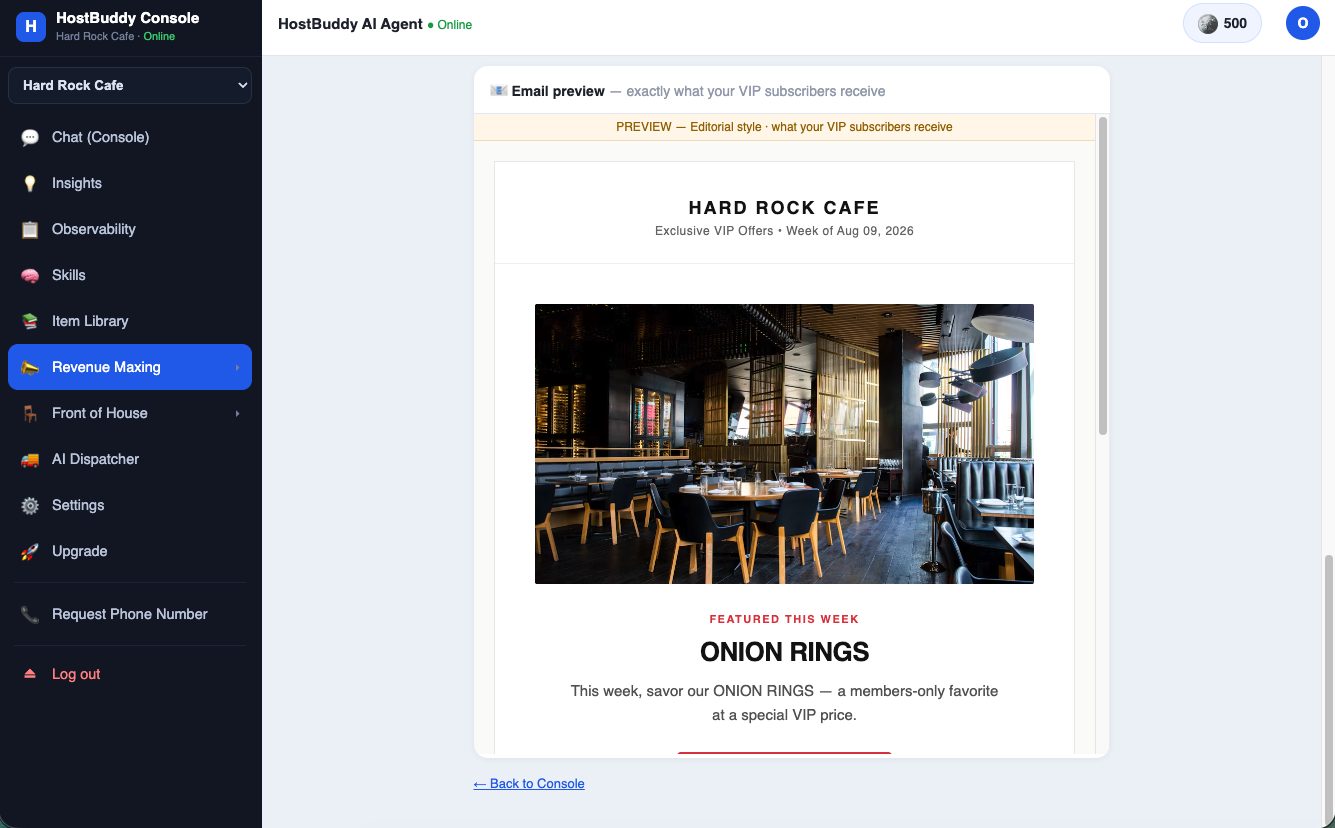
- Click Preview consumer email to see exactly what guests receive — editorial style, your store's name and imagery.
- Approve & Send ships it to your VIP subscribers; a weekly auto-send hook is ready when you want full autopilot.
Create a promotion in one sentence
Promotions live in the chat. Say it the way you'd say it to a manager.
- Type: "Free pastry with any latte this weekend" — or "$3 any drink all month".
- Buddy designs the offer, publishes the ordering-page banner and the campaign, and — the part that matters — enforces it at checkout automatically. No forgotten discounts, no honor system.
- Say "end the promotion" and it stops everywhere at once.
Skills: raffles, guestbook, and growing your list
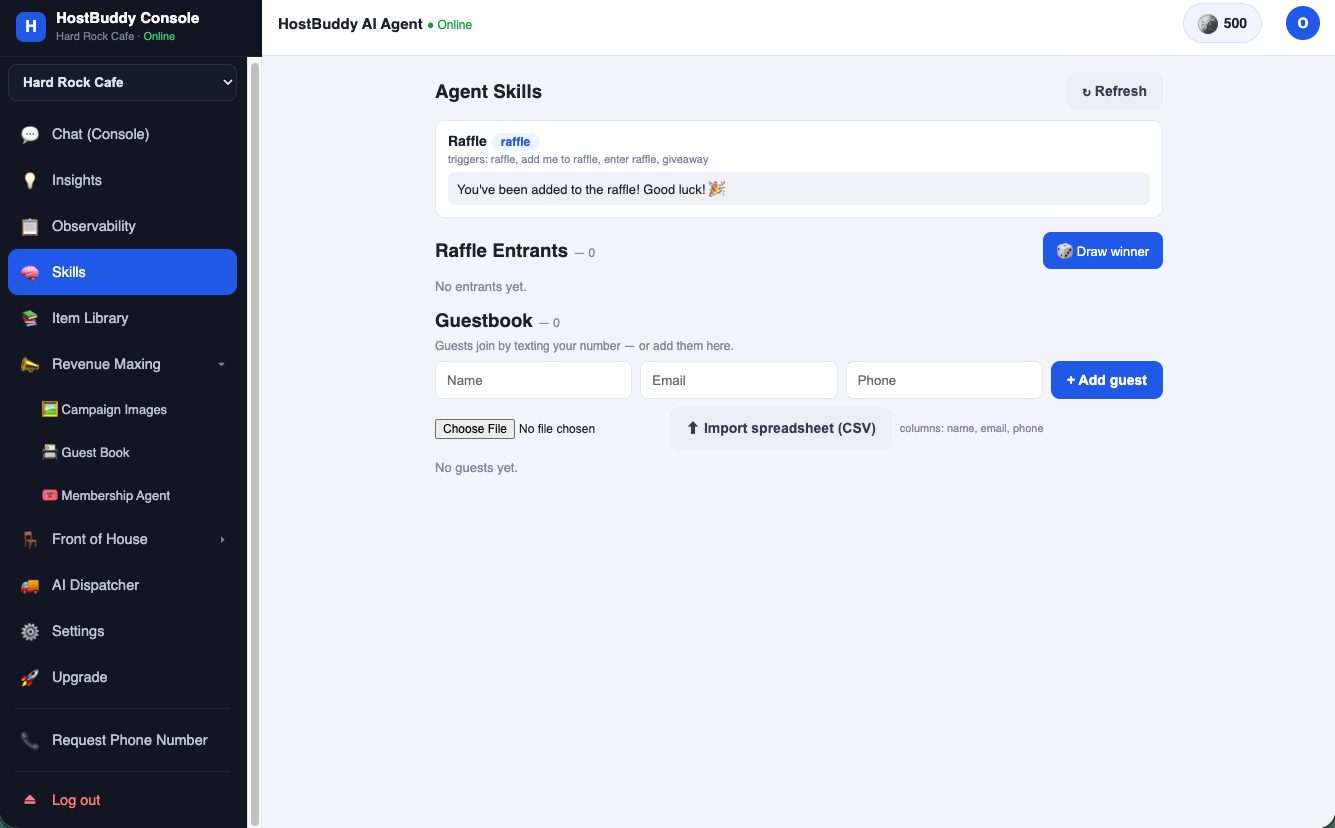
Skills are small agents with one job. The Raffle skill turns any campaign into a list-builder; the Guestbook is the list itself.
- Open Skills — the Raffle skill responds to "raffle", "add me to the raffle", "enter raffle", "giveaway" on every channel.
- Guests join by texting your number; Draw winner picks one when you're ready.
- The Guestbook collects everyone — add guests by hand or import a CSV (name, email, phone).
Get a phone number for your Phone AI
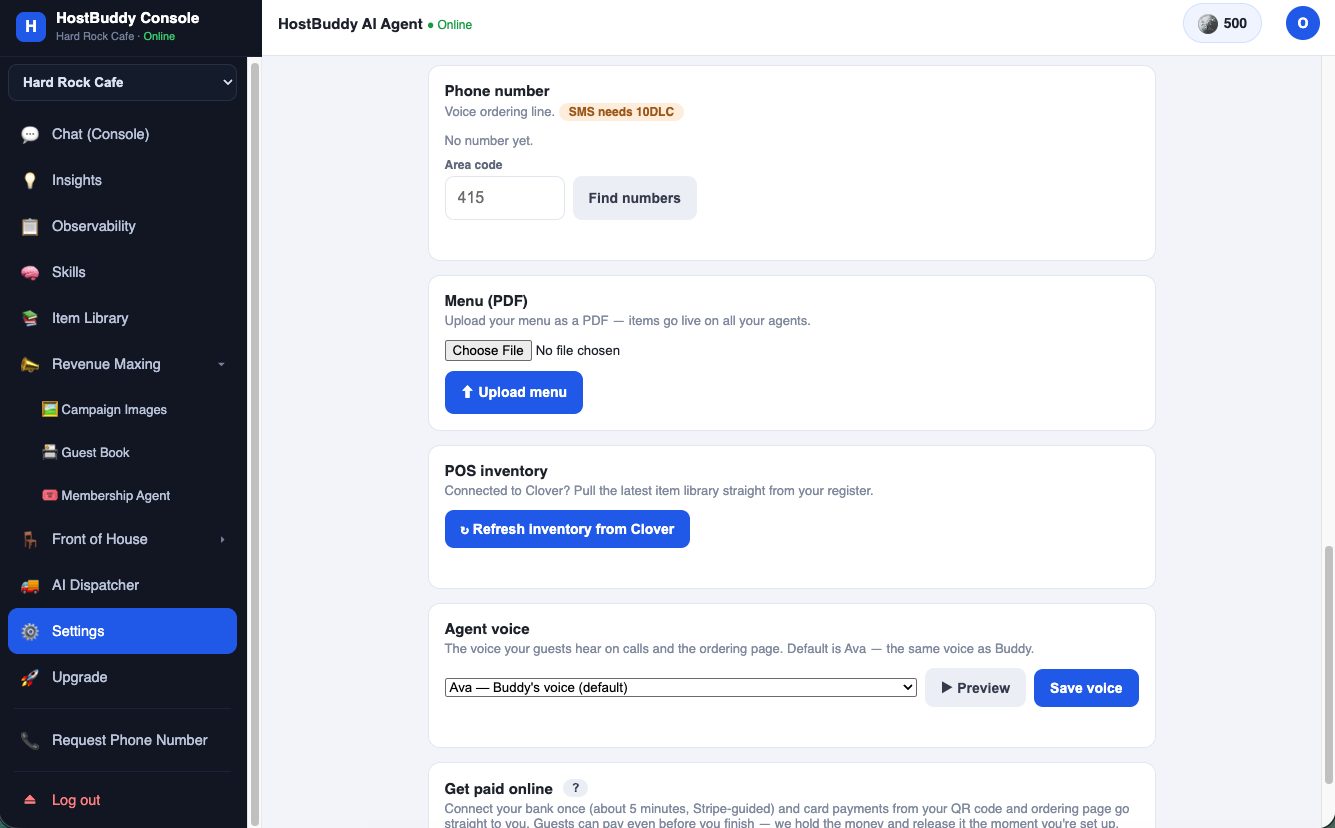
Your agent needs a line. It costs $1/month and goes live the same day.
- Settings → Phone number: enter your preferred area code and click Find numbers — or just reply with an area code when Buddy asks in chat.
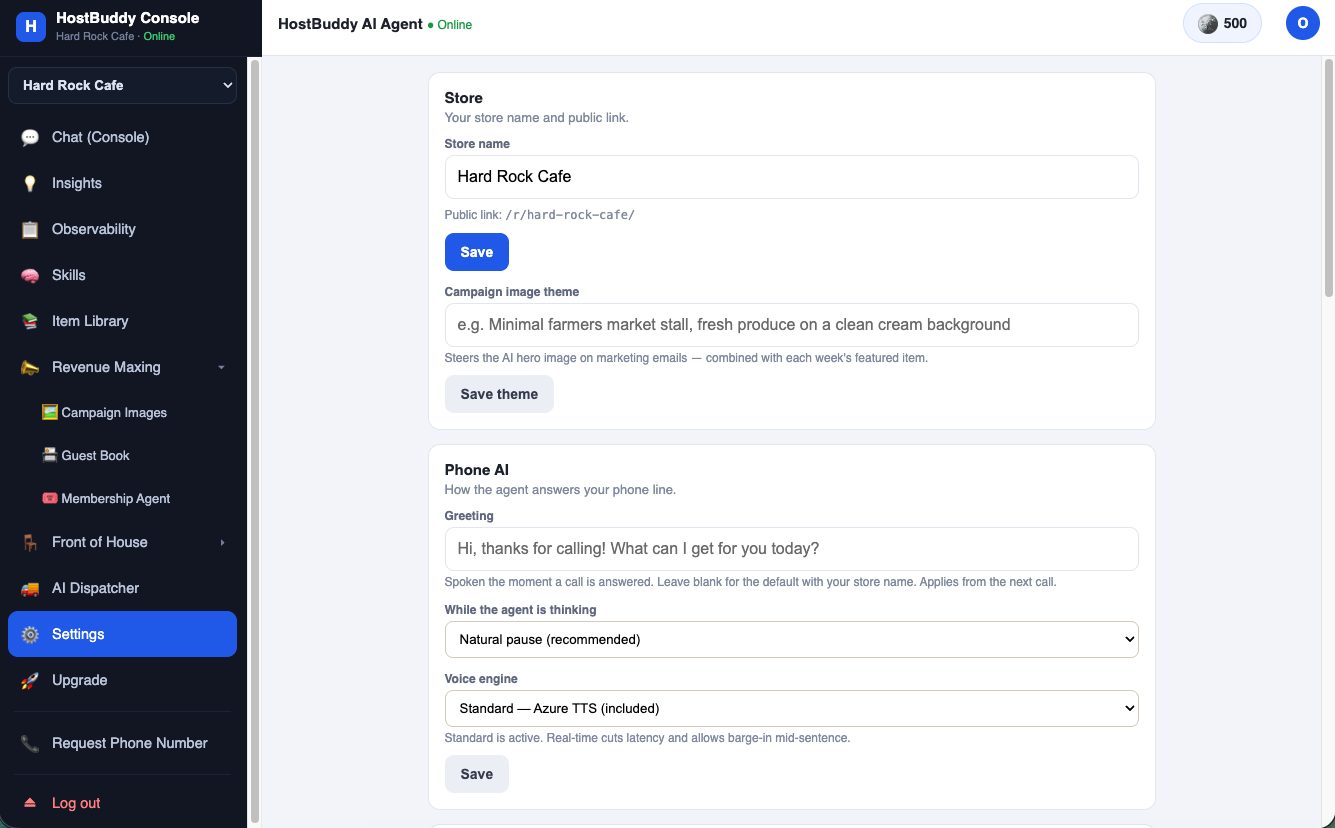
- Pick a number; the Phone AI answers it from the next call — greeting, voice and "thinking" behavior are all configurable in Settings → Phone AI.
- The default voice is Ava — the same voice as Buddy — with more voices to preview and save.
Payments, bar tabs and the counter
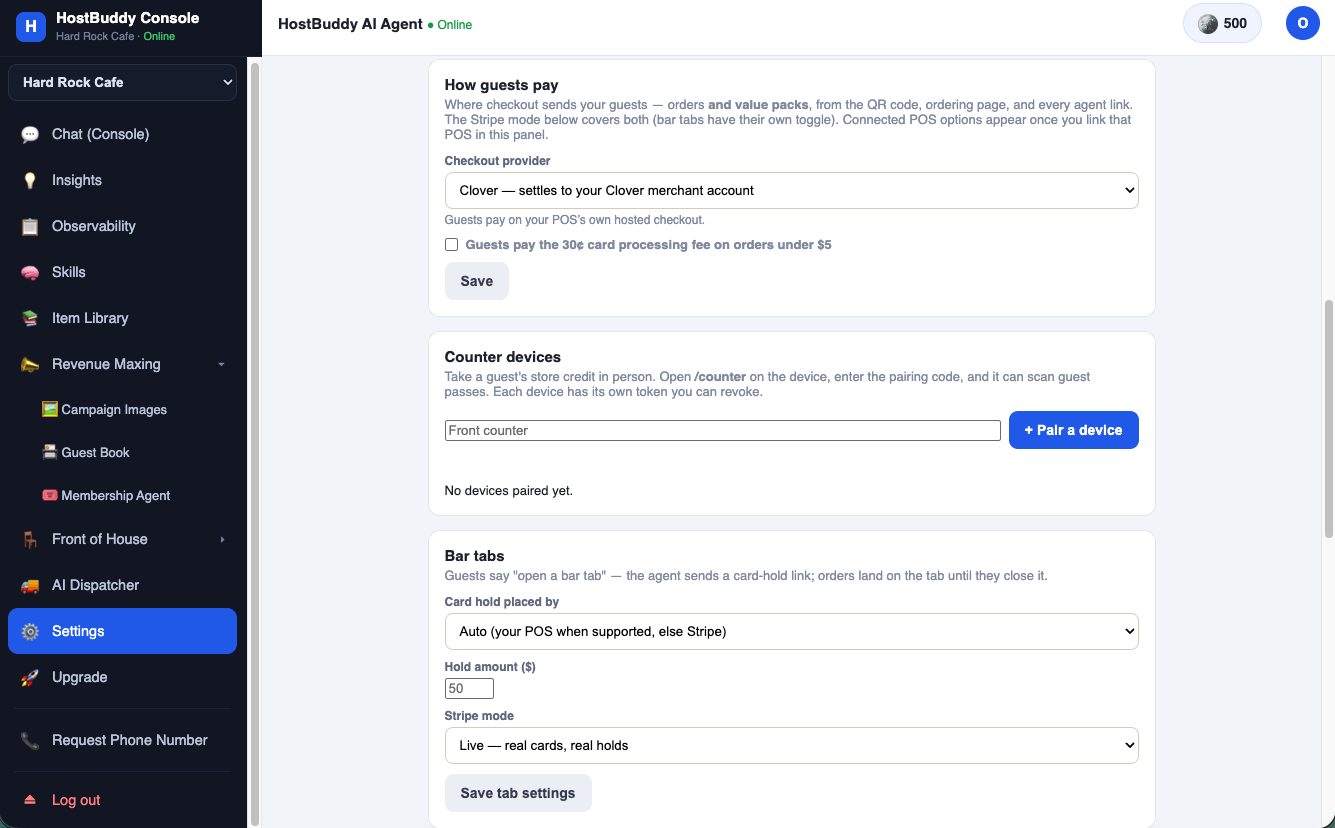
Checkout goes wherever your money already lives — your POS when connected, Stripe otherwise — and in-person credit works from any device.
- How guests pay: pick the checkout provider (Clover, Square, Shopify, Stripe). Guests pay on your POS's own hosted checkout when connected. Optional: pass the 30¢ card fee to guests on orders under $5.
- Counter devices: open
/counteron any tablet or phone, pair it with a one-time code, and it can take a guest's store credit in person — each device has its own revocable token. - Bar tabs: guests say "open a bar tab", the agent sends a card-hold link, and orders land on the tab until they close out. Hold amount and processor are yours to set.
Questions operators ask
How does Buddy calculate the $2,000 revenue goal?
Backwards from your own numbers: at a $15 average ticket, one engaged guest is worth about $2/month through weekly category emails — so $2,000/month needs roughly 930 engaged guests. The console shows your count and recruits the rest through the growth levers.
How do I create a promotion?
Type it in chat — "free pastry with any latte this weekend." Buddy designs it, publishes it, and enforces it at checkout. "End the promotion" stops it everywhere.
How do I get a phone number?
Settings → Phone number → enter an area code → Find numbers. $1/month, live the same day.
How do I enable bar tabs?
Settings → Bar tabs: pick who places the card hold, set the hold amount, save. Guests open tabs by asking the agent.
What does the menu heatmap show?
Every menu item by real 14-day sales velocity: Hot, Steady, Sleepy, Dead — so slow inventory becomes this week's featured offer instead of waste.